 2af71d15a6
Signed-off-by: Glenn Jocher <glenn.jocher@ultralytics.com>
Co-authored-by: UltralyticsAssistant <web@ultralytics.com>
Co-authored-by: RizwanMunawar <chr043416@gmail.com>
138 lines
8.8 KiB
Markdown
138 lines
8.8 KiB
Markdown
---
|
|
comments: true
|
|
description: Queue Management Using Ultralytics YOLOv8
|
|
keywords: Ultralytics, YOLOv8, Queue Management, Object Counting, Object Tracking, Object Detection, Notebook, IPython Kernel, CLI, Python SDK
|
|
---
|
|
|
|
# Queue Management using Ultralytics YOLOv8 🚀
|
|
|
|
## What is Queue Management?
|
|
|
|
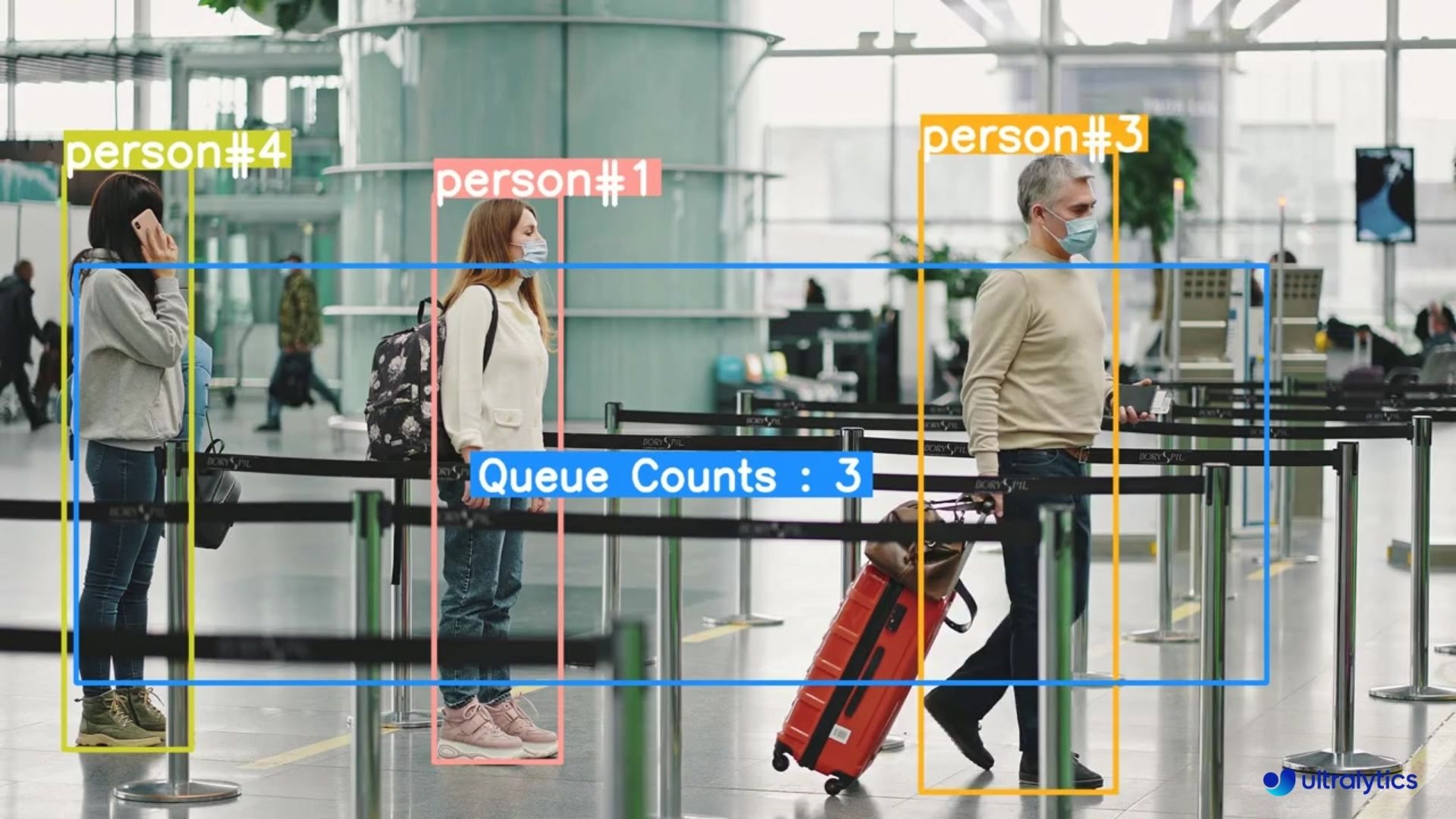
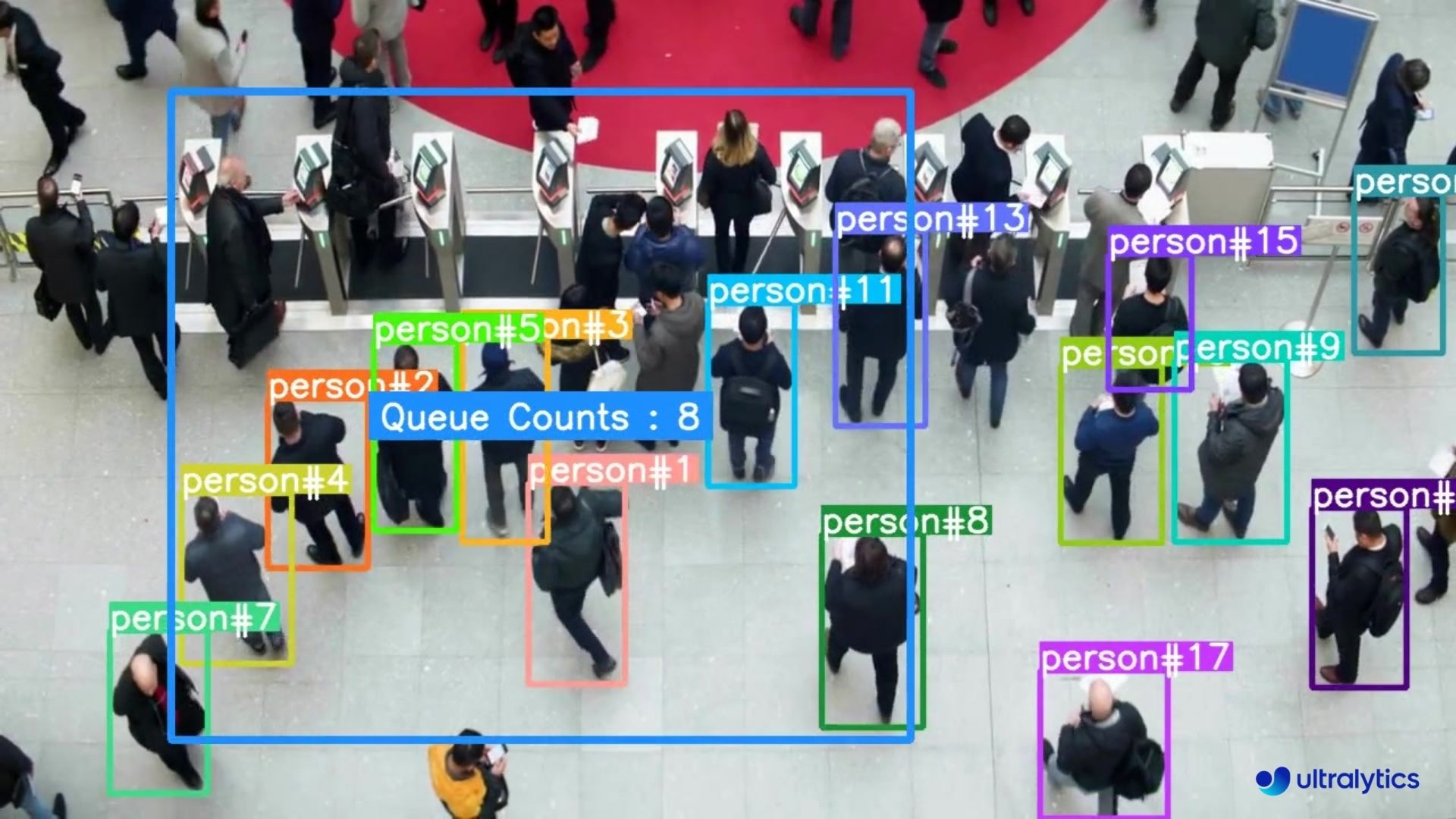
Queue management using [Ultralytics YOLOv8](https://github.com/ultralytics/ultralytics/) involves organizing and controlling lines of people or vehicles to reduce wait times and enhance efficiency. It's about optimizing queues to improve customer satisfaction and system performance in various settings like retail, banks, airports, and healthcare facilities.
|
|
|
|
## Advantages of Queue Management?
|
|
|
|
- **Reduced Waiting Times:** Queue management systems efficiently organize queues, minimizing wait times for customers. This leads to improved satisfaction levels as customers spend less time waiting and more time engaging with products or services.
|
|
- **Increased Efficiency:** Implementing queue management allows businesses to allocate resources more effectively. By analyzing queue data and optimizing staff deployment, businesses can streamline operations, reduce costs, and improve overall productivity.
|
|
|
|
## Real World Applications
|
|
|
|
| Logistics | Retail |
|
|
|:---------------------------------------------------------------------------------------------------------------------------------------------------------------------------:|:----------------------------------------------------------------------------------------------------------------------------------------------------------:|
|
|
|  |  |
|
|
| Queue management at airport ticket counter Using Ultralytics YOLOv8 | Queue monitoring in crowd Ultralytics YOLOv8 |
|
|
|
|
!!! Example "Queue Management using YOLOv8 Example"
|
|
|
|
=== "Queue Manager"
|
|
|
|
```python
|
|
import cv2
|
|
from ultralytics import YOLO, solutions
|
|
|
|
model = YOLO("yolov8n.pt")
|
|
cap = cv2.VideoCapture("path/to/video/file.mp4")
|
|
|
|
assert cap.isOpened(), "Error reading video file"
|
|
w, h, fps = (int(cap.get(x)) for x in (cv2.CAP_PROP_FRAME_WIDTH, cv2.CAP_PROP_FRAME_HEIGHT, cv2.CAP_PROP_FPS))
|
|
|
|
video_writer = cv2.VideoWriter("queue_management.avi", cv2.VideoWriter_fourcc(*'mp4v'), fps, (w, h))
|
|
|
|
queue_region = [(20, 400), (1080, 404), (1080, 360), (20, 360)]
|
|
|
|
queue = solutions.QueueManager(classes_names=model.names,
|
|
reg_pts=queue_region,
|
|
line_thickness=3,
|
|
fontsize=1.0,
|
|
region_color=(255, 144, 31))
|
|
|
|
while cap.isOpened():
|
|
success, im0 = cap.read()
|
|
|
|
if success:
|
|
tracks = model.track(im0, show=False, persist=True,
|
|
verbose=False)
|
|
out = queue.process_queue(im0, tracks)
|
|
|
|
video_writer.write(im0)
|
|
if cv2.waitKey(1) & 0xFF == ord('q'):
|
|
break
|
|
continue
|
|
|
|
print("Video frame is empty or video processing has been successfully completed.")
|
|
break
|
|
|
|
cap.release()
|
|
cv2.destroyAllWindows()
|
|
```
|
|
|
|
=== "Queue Manager Specific Classes"
|
|
|
|
```python
|
|
import cv2
|
|
from ultralytics import YOLO, solutions
|
|
|
|
model = YOLO("yolov8n.pt")
|
|
cap = cv2.VideoCapture("path/to/video/file.mp4")
|
|
|
|
assert cap.isOpened(), "Error reading video file"
|
|
w, h, fps = (int(cap.get(x)) for x in (cv2.CAP_PROP_FRAME_WIDTH, cv2.CAP_PROP_FRAME_HEIGHT, cv2.CAP_PROP_FPS))
|
|
|
|
video_writer = cv2.VideoWriter("queue_management.avi", cv2.VideoWriter_fourcc(*'mp4v'), fps, (w, h))
|
|
|
|
queue_region = [(20, 400), (1080, 404), (1080, 360), (20, 360)]
|
|
|
|
queue = solutions.QueueManager(classes_names=model.names,
|
|
reg_pts=queue_region,
|
|
line_thickness=3,
|
|
fontsize=1.0,
|
|
region_color=(255, 144, 31))
|
|
|
|
while cap.isOpened():
|
|
success, im0 = cap.read()
|
|
|
|
if success:
|
|
tracks = model.track(im0, show=False, persist=True,
|
|
verbose=False, classes=0) # Only person class
|
|
out = queue.process_queue(im0, tracks)
|
|
|
|
video_writer.write(im0)
|
|
if cv2.waitKey(1) & 0xFF == ord('q'):
|
|
break
|
|
continue
|
|
|
|
print("Video frame is empty or video processing has been successfully completed.")
|
|
break
|
|
|
|
cap.release()
|
|
cv2.destroyAllWindows()
|
|
```
|
|
|
|
### Arguments `QueueManager`
|
|
|
|
| Name | Type | Default | Description |
|
|
|---------------------|------------------|----------------------------|-------------------------------------------------------------------------------------|
|
|
| `classes_names` | `dict` | `model.names` | A dictionary mapping class IDs to class names. |
|
|
| `reg_pts` | `list of tuples` | `[(20, 400), (1260, 400)]` | Points defining the counting region polygon. Defaults to a predefined rectangle. |
|
|
| `line_thickness` | `int` | `2` | Thickness of the annotation lines. |
|
|
| `track_thickness` | `int` | `2` | Thickness of the track lines. |
|
|
| `view_img` | `bool` | `False` | Whether to display the image frames. |
|
|
| `region_color` | `tuple` | `(255, 0, 255)` | Color of the counting region lines (BGR). |
|
|
| `view_queue_counts` | `bool` | `True` | Whether to display the queue counts. |
|
|
| `draw_tracks` | `bool` | `False` | Whether to draw tracks of the objects. |
|
|
| `count_txt_color` | `tuple` | `(255, 255, 255)` | Color of the count text (BGR). |
|
|
| `track_color` | `tuple` | `None` | Color of the tracks. If `None`, different colors will be used for different tracks. |
|
|
| `region_thickness` | `int` | `5` | Thickness of the counting region lines. |
|
|
| `fontsize` | `float` | `0.7` | Font size for the text annotations. |
|
|
|
|
### Arguments `model.track`
|
|
|
|
| Name | Type | Default | Description |
|
|
|-----------|---------|----------------|-------------------------------------------------------------|
|
|
| `source` | `im0` | `None` | source directory for images or videos |
|
|
| `persist` | `bool` | `False` | persisting tracks between frames |
|
|
| `tracker` | `str` | `botsort.yaml` | Tracking method 'bytetrack' or 'botsort' |
|
|
| `conf` | `float` | `0.3` | Confidence Threshold |
|
|
| `iou` | `float` | `0.5` | IOU Threshold |
|
|
| `classes` | `list` | `None` | filter results by class, i.e. classes=0, or classes=[0,2,3] |
|
|
| `verbose` | `bool` | `True` | Display the object tracking results |
|